
Charmius Casino on Any Device: Your PWA Install Guide
Installing the PWA takes under a minute, and no app store approval stands between you and the full platform. The Charmius app runs directly from your browser, which means it stays current without manual updates and opens in fractions of a second once pinned to your screen. Australian players get immediate access to 3,000+ games, live dealer tables, and every active bonus — all from a single icon on their home screen or desktop dock.
What the Charmius App Is: PWA Technology Explained
A Progressive Web App is not a native download. It lives in your browser cache and behaves like a standalone application — no Google Play listing, no App Store review process, no file permissions to approve. The full Charmius Casino PWA install steps take fewer than four taps on mobile or two clicks on desktop.
Because the app is browser-hosted, it receives automatic updates the moment we push them to the server. You never need to manually update or reinstall. The Charmius Casino app also supports one-time authorisation — log in once and the session persists across reopens, so you land directly at the lobby each time. Data in transit is protected by TLS 1.2 and AES 256-bit encryption, the same security layer that covers the desktop site. And because the app carries no separate codebase, every game, promotion, and account setting is identical to the full browser experience — nothing is stripped out for mobile.
Compatible Devices: Android, iOS, Windows, and macOS
Our platform supports four operating systems without any modifications on your end.
| Device Type | Supported OS | Required Browser |
|---|---|---|
| Smartphone / Tablet | Android | Chrome |
| Smartphone / Tablet | iOS (iPhone / iPad) | Safari |
| Desktop / Laptop | Windows | Chrome |
| Desktop / Laptop | macOS | Safari or Chrome |
Every operating system listed above runs the identical interface, including Live Casino streaming, crash games, and the full bonus system. The app scales cleanly between screen sizes, so switching from a mobile session to a desktop doesn’t require re-learning the layout. One account works across all devices, and because the Charmius Casino app authenticates through the browser, no secondary login app or authenticator download is needed.
Licence № 0000181 and Platform Security Standards
Trust infrastructure matters, and ours is documented. We operate under Licence No. 0000181, issued by the Tobique Gaming Commission under the Tobique Gaming Act 2023, with an issue date of 15 May 2026. The regulator oversees ongoing compliance, and all unresolved disputes are referred to EGIS — a CGA-certified ADR provider operating under the same commission.
Here is a concise summary of our compliance framework:
| Parameter | Detail |
|---|---|
| Licence Number | 0000181 |
| Regulator | Tobique Gaming Commission |
| Legislation | Tobique Gaming Act 2023 |
| ADR Provider | EGIS (CGA-certified) |
| Data Encryption | TLS 1.2 + AES 256-bit |
| Privacy Standard | GDPR-compliant |
Game outcomes across the entire catalogue are determined by a certified RNG, and the platform operates under full GDPR compliance. Your personal and financial data is stored with access-restricted protocols and shared only with authorised service providers bound by confidentiality agreements. In the event of a data breach, we are obligated to notify relevant authorities and affected users within 72 hours — a standard we hold ourselves to without exception.
Your 20 Free Spins No-Deposit Bonus on First Install
Installing the app for the first time triggers a no-deposit bonus automatically. Once you install and log into your account, navigate to Profile → Bonuses, locate the offer under Available, and activate it there. The Charmius app install bonus is a one-time offer tied exclusively to first installation.
The key terms are precise and worth reading before you activate:
- 20 Free Spins — no deposit required, credited automatically upon installation
- Bet value per spin: 0.10 AUD
- Wagering requirement: x40 on all winnings generated by the spins
- Maximum payout from this bonus: 75 AUD (account must be verified and minimum deposit requirement met before withdrawal)
- Eligibility: one-time only, first installation per account
Wagering means your spin winnings multiplied by 40 must be turned over in Bonus Wagering-eligible slots before any cashout is requested. Only bets placed in the Bonus Wagering category — marked with a blue badge in the lobby — count toward this requirement, with a maximum qualifying bet of 7.50 AUD per round. Requesting a withdrawal before completing the wager cancels the bonus balance entirely, so it pays to plan accordingly.
Installing on Android via Chrome
Android installation is a three-step process through Chrome. Open Chrome, navigate to our site, then tap the three-dot menu beside the address bar and select “Install the Charmius Casino App.” Confirm by pressing Install in the prompt that follows, and the icon appears on your home screen immediately.
The Charmius Android app installation guide covers edge cases such as Chrome version compatibility and permission prompts. Once installed, the Charmius Casino app operates independently from the browser tab — it launches to the casino lobby directly without loading the browser UI first. Android users should ensure Chrome is updated to the latest version to guarantee prompt availability of the install button. No sideloading of APK files is involved, and no changes to device security settings are required. The entire process is clean, contained, and reversible — removing the PWA icon uninstalls it without affecting any account data.
Installing on iOS via Safari
Safari is the required browser for iOS installation. Open Safari, navigate to the site, tap the Share icon at the bottom of the screen, and select “Add to Home Screen.” The icon appears on your iOS home screen and behaves identically to a native app shortcut.
A few practical points worth noting before you begin: Chrome on iOS does not support PWA installation, so Safari is the only valid path. The Share icon is the rectangle with an upward arrow — not to be confused with the bookmark option. Once added to your home screen, the app opens in a standalone viewport without the Safari address bar visible, creating a full-screen experience. Session data and login state are stored locally, meaning a single sign-in persists between sessions as long as you do not clear Safari’s website data. For any issues during the setup process, our live chat support operates 24/7.
Installing on Windows and macOS
Desktop installation follows the same browser-based logic as mobile, with slight variations per OS. For Windows, open Chrome, go to our site, and click the install icon located in the upper-right section of the address bar. Select Install, and the app appears as a shortcut in your taskbar and Start menu.
For macOS, the process works through both Safari and Chrome. In Safari, click the install icon in the browser panel, then press the Share icon and select “Add to Dock.” Confirm with Add, and the app is pinned permanently to your macOS Dock. The Charmius iOS app setup guide also references Safari-specific behaviour relevant to macOS users navigating the same browser environment. All desktop installations carry the same one-time login benefit as mobile — your session remains active between launches without repeated credential entry. The desktop PWA also supports the full Live Casino streaming experience, which requires a stable broadband connection for uninterrupted HD video.
App Benefits: One-Time Login, Instant Load, and Bonus Access
The practical advantages of running our platform as a PWA rather than a browser tab accumulate quickly. Loading and response speed operates in fractions of a second once the service worker is cached, which makes a measurable difference mid-session. For all available Charmius app download options across every supported OS, the install footprint is minimal — no large binary files, no storage drain.
Here is what you gain from the installed version versus a standard browser tab:
- One-time authorisation — log in once; the session persists across all subsequent opens without re-entry
- Instant load speed — the service worker caches assets locally, reducing reload time to fractions of a second
- Dedicated home screen / Dock icon — direct access without opening a browser first
- Bonus and promotion visibility — the gift box icon in the top-right corner surfaces available free spins and cashback offers at a glance
- Full account access — Profile, Cashbox, Verification status, and Limits all accessible within the same interface
The Charmius online casino mobile experience through the PWA means no compromises on game range or account management. Every section of the platform — Casino, Live Casino, Sports, Esports, VIP Club, and Promotions — is accessible from the installed shortcut with no feature restrictions compared to desktop.
The Full Game Library Available Through Our Mobile Platform
Over 3,000 titles load through the app with no separate launcher or plugin required. The library is structured into clear categories that make navigation efficient regardless of screen size.
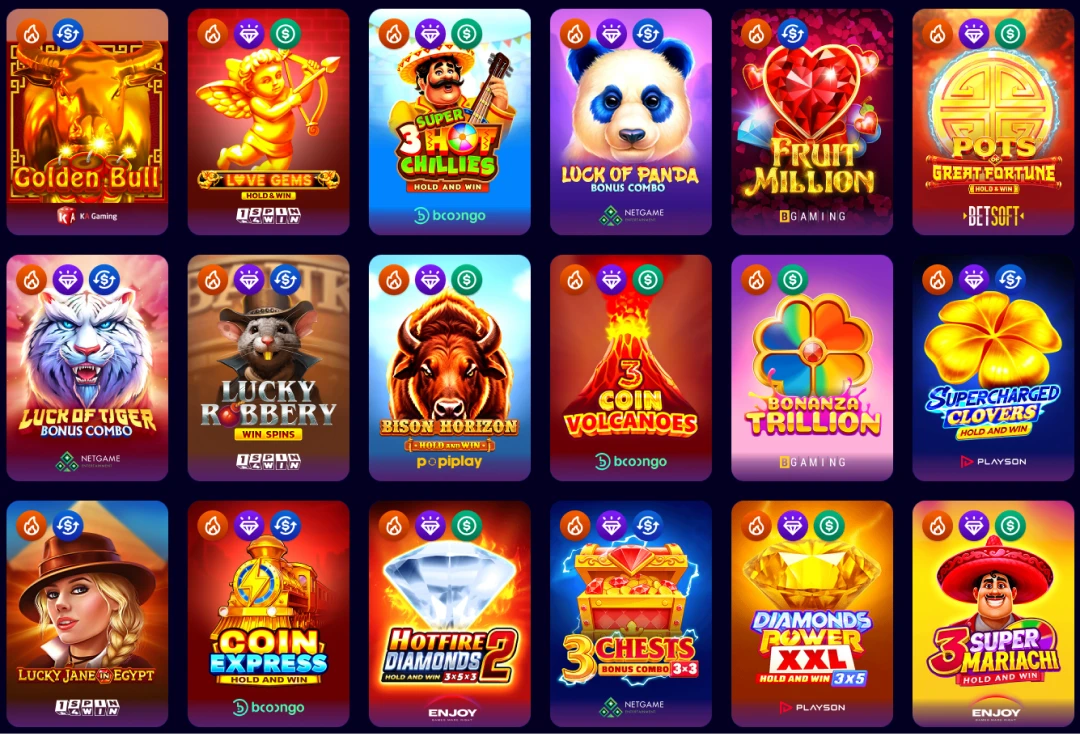
Our game categories available on mobile include:
- TOP — the most-played slots ranked by session activity
- New — latest releases such as Yokai (BGaming), Sweet Samurai (BGaming), and The Gem Master (Betsoft)
- Jackpot — progressive titles including Lucky Bro (1spin4win), Almighty Diamonds (Netgame), and Mighty Wild Gorilla (VoltEnt)
- Crash games — fast-format titles such as Rocketoo (Galaxsys), Dragon’s Crash (BGaming), and Ninja Crash (Galaxsys)
- Megaways — mechanics-driven slots including Lady Wolf Moon Megaways (BGaming) and Legend of Cleopatra Megaways (Playson)
- Live Casino — eight provider streams delivering roulette, blackjack, baccarat, and game shows in HD
The Charmius mobile casino streams Live Casino content from Winfinity (68 games), imaginelive (60 games), and Iconic21 (47 games), among others, with titles such as Cabaret Roulette, Gravity Blackjack, and Grand Bonus Baccarat loading smoothly on mobile broadband. If any title fails to load correctly, Charmius app troubleshooting tips address common causes including cached session conflicts and browser permission settings.
Welcome Package: Up to 2,000 AUD + 100 Free Spins
New accounts registered via the mobile platform access the same welcome package as desktop users — no mobile-specific reduction applies. The Charmius real money app delivers the full two-deposit welcome structure from day one.
| Deposit | Bonus | Free Spins | Min. Deposit | Wagering |
|---|---|---|---|---|
| 1st | 100% up to 1,000 AUD | 100 FS (20/day × 5 days) | 30 AUD | x40 |
| 2nd | 200% up to 1,000 AUD | — | 30 AUD | x40 |
The 100 Free Spins are distributed across five consecutive days at 20 FS per day, covering Allways Egypt Fortune (1spin4win), Hotfire Diamonds (Enjoy), Way Of Honor Hold And Win (1spin4win), Hotfire Coins (Enjoy), and Lady Wolf Moon (BGaming). Maximum win from the free spin allocation is 300 AUD. The second deposit carries a win limit of x5 the bonus amount. To activate either bonus, select it from the Cashbox screen before depositing — it credits automatically thereafter. The Charmius mobile sign up process walks through account registration, currency selection (AUD), and the welcome bonus opt-in screen in sequence. The Charmius Casino app bonus structure applies full wagering transparency: all bonuses are non-sticky, meaning real money is wagered first and bonus funds follow.
Responsible Gambling Tools Built Into Our Platform
All responsible gaming controls are accessible directly through the app under Profile → Limits. Setting them up takes under two minutes, and they apply account-wide regardless of which device you use to access our platform.
The available tools are:
- Deposit limit — set daily, weekly, or monthly caps on incoming funds; reductions take effect immediately
- Loss limit — calculated as total bets minus total wins; prevents net losses from exceeding a defined threshold
- Cooling-off period — a 24-hour pause that disables deposits and betting while keeping withdrawals accessible; activated via Profile or live chat
- Self-exclusion — account block for periods ranging from 1 day to indefinitely; for the 1-year block, access can be restored through support after the period ends, but the action cannot be undone mid-term
Increasing or cancelling any active limit takes 24 hours to take effect — a deliberate buffer that prevents impulsive overrides. All players must be 18 or older to register. For Charmius app Australia users seeking external support, we recommend Gambling Therapy, Game Care, and Gamblers Anonymous as independent organisations equipped to assist. Parental control tools such as Gamban and Net Nanny are also recommended for households where minors may access shared devices.
Frequently Asked Questions
Does installing the app require an account?
No account is required to install the PWA. However, the 20 Free Spins no-deposit bonus and access to real money games both require a registered and verified account to activate.
Can I use the same account across Android and desktop?
Yes. One account operates across all devices simultaneously. Session state and bonus balances sync in real time regardless of which device initiated the session.
Do bonus wagering requirements differ on mobile?
No. Wagering requirements, maximum bet limits (7.50 AUD per round), and eligible game categories are identical across all access points, including the installed PWA.
What happens if the app does not install on my device?
Ensure your browser meets minimum requirements — Chrome on Android and Windows, Safari or Chrome on macOS, Safari only on iOS. Clearing the browser cache and retrying resolves the majority of installation issues.
Is KYC verification required to withdraw bonus funds?
Yes. Account verification — which takes between 2 and 24 hours and is completed once — is mandatory before any withdrawal can be processed, including funds derived from bonus wagering.